Table of Contents ▼
Most developers approach AI agent prompts the same way junior devs write bash scripts: stuff every edge case into a single monolithic string, drop it in a root configuration file, and pray the model does not hallucinate your production database out of existence.
When your agent breaks, the standard fix is to append another paragraph of begging to the system prompt. Three weeks later, your agent context window is consuming 40,000 tokens per turn just to format a git commit message. Your monthly API token bill looks like a mortgage payment, and the model still misses half its instructions because critical rules got buried under an avalanche of verbose prose.
Treating skills as actual software is not just a clean aesthetic pattern: it is the fundamental difference between a deterministic agentic pipeline and a $100-a-day token burner that trips your circuit breakers.
1. The Rule of Three: When to Build a Skill
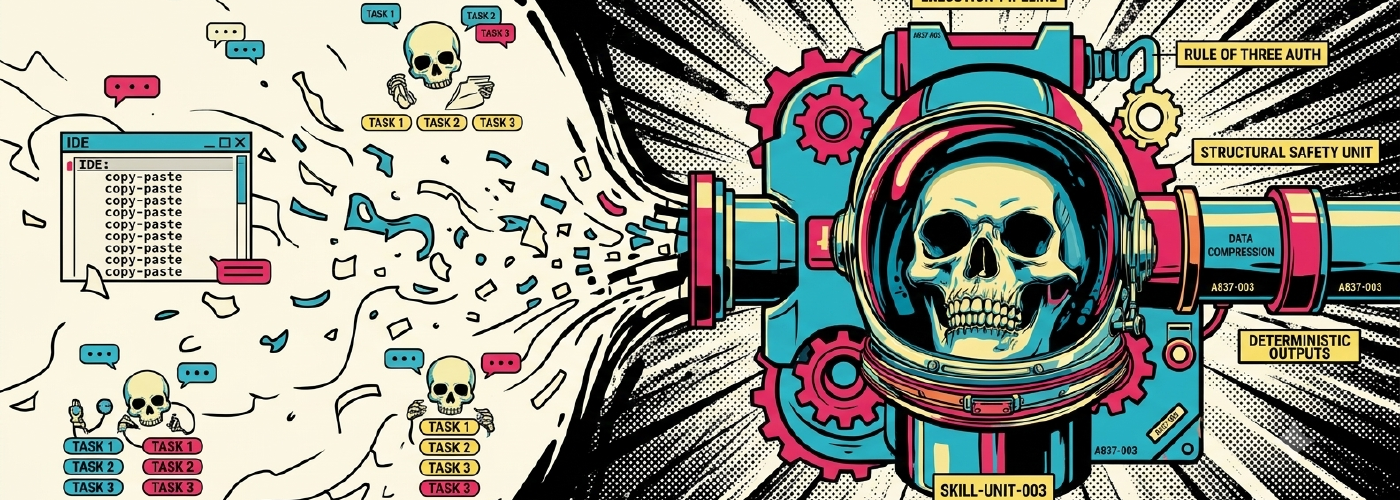
Before writing a single line of markdown, stop thinking about individual tasks and start thinking about execution pipelines.
I convert units of work and processes into formal skills when:
- I perform the exact same task three or more times in a week (such as triaging dependency security tickets or reviewing database migration locks).
- I find myself repeatedly copy-pasting instruction templates into IDE chat windows.
- I require deterministic, highly structured outputs (such as security audit manifests or compliance reports).
- Multiple team members perform the same workflow but produce wildly inconsistent results.
Generic chat windows are great for exploring unfamiliar libraries. Custom skills are for operational workflows where output structure, context efficiency, and tool safety actually matter.
graph TD
    User([User Request / Intent]) --> Dispatcher[Dispatcher Meta-Skill]
    Dispatcher -->|Parse & Route| SkillA[Ticket Fetcher Skill]
    Dispatcher -->|Parse & Route| SkillB[Codebase Searcher Skill]
    SkillA --> ContractA[Parsed CVE Contract JSON]
    SkillB --> ContractB[Search Snippets JSON]
    ContractA --> Evaluator[Exploitability Assessor Skill]
    ContractB --> Evaluator
    Evaluator --> Synthesizer[Response Generator Skill]
    Synthesizer --> Output([Final Audit & Triage Report])
2. The Skill Maturity Model: L1 to L4

Not every task requires a multi-agent swarm. Overbuilding a simple utility is just as bad as under-architecting a complex pipeline.
I categorize skills across four distinct maturity levels:
| Level | Description | Execution Mechanics | Production Examples |
|---|---|---|---|
| L1: Task | Single-shot prompt generation. | Zero state, no loops, zero or one tool call. | Commit message generator, code formatter. |
| L2: Workflow | Multi-step sequential execution. | Deterministic sequence, local templates, inline references. | PR description builder, release notes generator. |
| L3: Adaptive | Conditional routing and validation. | Execution modes, precondition validation hooks, error recovery. | Observability reviewer, DB schema migration verifier. |
| L4: Agentic | Self-correcting loops & sub-agent swarms. | Meta-dispatchers, strict JSON boundary contracts, eval loops. | Vulnerability triage pipeline, automated audit engine. |
When to Graduate Beyond L2
I move from simple linear workflows to L3 or L4 patterns when a pipeline requires:
- Multiple Execution Modes: Supporting “dry-run mode” versus “interactive modification mode” via explicit runtime switches.
- Precondition Hooks: Verifying tool binary availability, environment variables, or clean git working trees before executing code mutations.
- Boundary Contracts: Machine-readable JSON/YAML output schemas passing state from Skill A to Skill B.
- Agentic Loops: Bounded self-correction loops that run local unit tests and feed compiler errors back to the LLM until tests pass.
3. Skill Directory Anatomy & Context Budgeting

Monolithic prompt files are a context window anti-pattern. If an agent loads 100kb of documentation into context for a task that only requires a regex lookup, you burn tokens and degrade attention head recall performance.
I structure high-quality skills as folder bundles with progressive context disclosure:
.agents/skills/vulnerability_triage/
├── SKILL.md            # Frontmatter + Core Playbook (keep under 500 lines)
├── scripts/            # Executable helper utilities (python, bash, node)
├── references/         # Heavy API documentation, schemas, domain specs
└── examples/           # Ground-truth input/output reference pairs
The Discovery vs. Execution Split
In modern agent runtime architectures, the host engine reads only the YAML frontmatter (name and description) during the initial conversation routing step. The actual SKILL.md body remains unread on disk until the runtime decides the user’s intent matches the skill’s frontmatter header.
# ❌ VAGUE FRONTMATTER (The runtime classifier will miss user intent)
name: "release_notes"
description: "Generates release notes."

# ✅ LOUD FRONTMATTER (Provides explicit triggers and clear activation scope)
name: "release_notes"
description: "Automates release note generation from git commits, merged PRs, and Jira tickets. Trigger when the user requests to draft release notes, compile changelogs, summarize recent commits, or create release documentation."
If your frontmatter description is vague, your skill will stay dormant while the LLM falls back to generic hallucinations.
4. Playbooks, Not Paragraph Prose

AI models follow structured execution playbooks significantly better than unstructured paragraph prose. Stop writing natural language essays. Use structured XML tags, numbered execution steps, and explicit contract schemas.
<!-- ❌ AMBIGUOUS PARAGRAPH PROSE -->
Please analyze the code for security vulnerabilities. Check for SQL injection, XSS, and bad dependencies. Write down anything bad you find and format it nicely.

<!-- ✅ STRUCTURED PLAYBOOK -->
<playbook>
1. **Precondition Check:**
   - Verify `package.json` or `requirements.txt` exists in workspace root.
2. **Analysis Steps:**
   - Scan database queries for unparameterized string concatenation (SQL injection risk).
   - Inspect template rendering logic for unsanitized HTML input (XSS risk).
3. **Output Contract:**
   - Output findings strictly using this table structure:
     | Severity | File | Line | Vulnerability Type | Remediation |
     | :--- | :--- | :--- | :--- | :--- |
</playbook>
5. Advanced Architectural Patterns

Pattern 1: Meta-Dispatchers
When a user request is broad, a dispatcher meta-skill parses the intent and routes sub-tasks to specialized domain skills rather than attempting to execute everything in one monolithic prompt context.
graph TD
    UserRequest([Incoming User Request]) --> MetaDispatcher[triage_dispatcher Meta-Skill]

    MetaDispatcher --> CheckParams{Precondition Check:<br/>Required Params Present?}
    CheckParams -- No (Missing Info) --> ClarifyUser[Prompt User for Required Details]

    CheckParams -- Yes (Valid Parameters) --> ParseIntent{Classify Intent & Scope}

    ParseIntent -- "CVE / Security Alert" --> InvokeVuln[invoke_subagent<br/>skill='vulnerability_triage']
    ParseIntent -- "Telemetry / 50x Error" --> InvokeDatadog[invoke_subagent<br/>skill='datadog_observability_review']
    ParseIntent -- "Release / Changelog" --> InvokeRelease[invoke_subagent<br/>skill='release_notes_generator']

    InvokeVuln --> SubAgentA[Vulnerability Triage Agent]
    InvokeDatadog --> SubAgentB[Observability Review Agent]
    InvokeRelease --> SubAgentC[Release Notes Agent]

    SubAgentA --> JSONContract[Structured Execution Result JSON]
    SubAgentB --> JSONContract
    SubAgentC --> JSONContract

    JSONContract --> Synthesizer[Synthesize Executive Summary]
    Synthesizer --> UserOutput([Formatted Report & Artifact Links])
| User Intent Signal | Routed Skill | Executable Action |
|---|---|---|
| “Triage CVE”, “security alert” | vulnerability_triage | invoke_subagent(skill="vulnerability_triage") |
| “Check telemetry”, “Datadog log” | datadog_review | invoke_subagent(skill="datadog_review") |
| “Draft release”, “changelog” | release_notes | invoke_subagent(skill="release_notes") |
Example Dispatcher SKILL.md File
Below is a complete, production-ready example of a meta-dispatcher skill stored at .agents/skills/triage_dispatcher/SKILL.md:
---
name: triage_dispatcher
description: Meta-skill that inspects broad operational or engineering triage requests (security CVEs, telemetry errors, release builds) and routes them to specialized domain sub-skills. Trigger when the user requests general incident triage, log investigation, or multi-step audit analysis.
---

# Triage Dispatcher Meta-Skill

Use this meta-skill to classify incoming triage requests and delegate execution to specialized domain sub-skills.

<playbook>
1. **Intent Classification & Scope Resolution:**
   Inspect the incoming user request and map intent keywords to the appropriate specialist sub-skill:

   | Intent Signal / Keywords | Target Skill | Primary Subagent Call |
   | :--- | :--- | :--- |
   | Security vulnerabilities, CVE IDs, dependency audit alerts | `vulnerability_triage` | `invoke_subagent(skill="vulnerability_triage", task=...)` |
   | Telemetry errors, Datadog traces, log spikes, HTTP 50x errors | `datadog_observability_review` | `invoke_subagent(skill="datadog_observability_review", task=...)` |
   | Release notes, changelog generation, git commit summaries | `release_notes_generator` | `invoke_subagent(skill="release_notes_generator", task=...)` |

2. **Precondition Check:**
   - Verify if the user request contains required parameters (such as a CVE ID, log timeframe, or git commit range).
   - If key parameters are missing, prompt the user for clarification before delegating tasks.

3. **Sub-Skill Delegation:**
   - Invoke the host runtime delegation mechanism passing the target skill name and explicit parameter context.
   - Do NOT attempt to perform deep codebase searches or write security reports inside this dispatcher context.

4. **Result Synthesis:**
   - Collect structured outputs returned by the sub-skill.
   - Format a concise executive summary for the user and link to generated artifact files.
</playbook>
Pattern 2: Bounded Self-Correcting Loops
An agentic loop allows a skill to iteratively refine its generated code based on empirical runtime feedback (such as compiler exceptions, linter warnings, or failing unit tests). The critical engineering constraint here is enforcing an explicit loop boundary. Without a counter limit, a failing test can trigger an infinite recursion storm, burning through API token budgets while locked in an endless repair cycle.
graph TD
    Start([Start Refinement Loop]) --> AttemptCheck{Attempt <= Max Attempts?}
    AttemptCheck -- Yes --> ExecTest[Run pytest via Subprocess]
    AttemptCheck -- No (Max Exceeded) --> ThrowError[Raise Circuit Breaker: RuntimeError]

    ExecTest --> CheckResult{Exit Code == 0?}
    CheckResult -- Yes (Pass) --> Success([Return Success / Continue Pipeline])
    CheckResult -- No (Fail) --> CaptureLogs[Capture stdout & stderr Logs]

    CaptureLogs --> LLMRefine[Feed Exact Trace Back to Agent Context]
    LLMRefine --> FixCode[Agent Generates Targeted Patch]
    FixCode --> IncrementAttempt[Increment Attempt Counter]
    IncrementAttempt --> AttemptCheck
How the Code Operates Under the Hood
# /// script
# dependencies = ["pytest"]
# ///
import subprocess
import sys

def test_driven_refinement_loop(max_attempts=3):
    """Executes local unit tests and passes failures back for refinement."""
    for attempt in range(1, max_attempts + 1):
        print(f"--- Execution Attempt {attempt}/{max_attempts} ---")
        result = subprocess.run(
            ["pytest", "tests/test_parser.py"],
            capture_output=True,
            text=True
        )

        if result.returncode == 0:
            print("✅ All unit tests passed cleanly.")
            return True

        print(f"❌ Attempt {attempt} failed:\n{result.stdout}\n{result.stderr}")
        # Feed stderr back to LLM context for targeted code modification

    raise RuntimeError(f"Circuit breaker triggered: Failed after {max_attempts} attempts.")
Detailed Breakdown of the Loop Components
- Inline Dependency Metadata (
# /// script): Uses PEP 723 format compatible withuv run. When executed inside a skill’sscripts/directory,uvautomatically resolvespytestin an isolated ephemeral environment without polluting global Python virtual environments. - Circuit Breaker Counter (
max_attempts=3): Rather than using an unconstrainedwhile True:block, the function enforces a strict upper limit on retry attempts. This caps token consumption and protects against non-deterministic loop divergence. - Subprocess Signal Inspection (
result.returncode == 0): The skill inspects the exact return code of the test command. It treats0as clean verification, while any non-zero exit code indicates a test assertion failure or runtime exception. - Empirical Error Injection (
stdout&stderr): On failure, the script extracts stdout and stderr traces and injects them directly back into the LLM prompt context window. The agent uses this empirical stack trace to generate targeted diffs instead of making blind guesses. - Fail-Safe Circuit Breaker Throw: If the loop exhausts all attempts without passing tests, it raises a
RuntimeError. The host runtime catches this exception, aborts the current sub-task safely, and prevents corrupted code from reaching downstream pipeline stages.
Pattern 3: Multi-Agent Parallel Orchestration & Conflict Synthesis
For complex security or architectural audits, an orchestrator skill delegates discrete sub-tasks to multiple parallel specialized agents (such as a Static Analysis Agent, a Dependency Risk Agent, and a Runtime Telemetry Agent) and resolves conflicting signals using a predefined decision matrix.
graph TD
    AuditTrigger([Audit Request / Event Payload]) --> Orchestrator[Orchestrator Skill]

    subgraph Parallel Sub-Agent Execution
        Orchestrator -->|Dispatch Task A| SubAgentA[Static Analysis Agent<br/>AST & Code Scanner]
        Orchestrator -->|Dispatch Task B| SubAgentB[Dependency Risk Agent<br/>CVE Database Scanner]
        Orchestrator -->|Dispatch Task C| SubAgentC[Runtime Telemetry Agent<br/>Log & Metric Analyzer]
    end

    SubAgentA --> ResultA[Result A: HIGH Severity<br/>SQL Concatenation]
    SubAgentB --> ResultB[Result B: MEDIUM Severity<br/>Outdated Package]
    SubAgentC --> ResultC[Result C: SAFE<br/>No Logs Anomalies]

    ResultA --> ConflictMatrix[Conflict Resolution Engine]
    ResultB --> ConflictMatrix
    ResultC --> ConflictMatrix

    ConflictMatrix -->|Rule: Max Severity Win| SeverityEval[Assess Highest Rating: HIGH]
    ConflictMatrix -->|Rule: Signal Discrepancy| DiscrepancyEval[Mark Status: Needs Manual Review]

    SeverityEval --> Synthesizer[Synthesis Engine]
    DiscrepancyEval --> Synthesizer

    Synthesizer --> FinalReport([Unified Security & Audit Report])
| Analysis Scenario | Synthesis Resolution |
|---|---|
| Agent A flags EXPLOITABLE, Agent B flags SAFE | Mark status as NEEDS_MANUAL_REVIEW and attach trace logs. |
| Agent A assesses HIGH severity, Agent B assesses MEDIUM | Default to higher severity rating with an explanatory note. |
| Sub-agent timeout or API rate limit | Proceed with partial results; log incomplete sub-agent state explicitly. |
6. Hardened Environment Engineering

Skills that execute code must be isolated, resilient, and quiet regarding security credentials.
Self-Contained Executables: Helper scripts inside
scripts/should use modern dependency isolation tools likeuvwith inline script metadata:uv run python scripts/fetch_cve_details.py --cve CVE-2024-12345Strict Credential Hygiene: Never hardcode secrets in prompt playbooks or display credentials in stdout. Fetch credentials dynamically from environment variables or local vault managers:
export DATADOG_API_KEY=$(op read "op://Vault/datadog/api-key")Fail-Fast Shell Execution: Shell commands inside skill scripts must enforce strict failure traps to prevent silent error swallowing:
set -euo pipefail
7. Five Anti-Patterns to Purge from Your Codebase

- The Monolithic Monster: A single 2,000-line prompt file that handles everything from git commits to AWS infrastructure provisioning. Fix: Break into single-responsibility sub-skills routed by a dispatcher.
- Silent Exception Swallowing: A script tool returns exit code 0 on failure, leading the LLM to assume success and hallucinate fake deployment reports. Fix: Enforce strict
set -escript exits and validate non-empty return values. - Implicit Context Assumption: Assuming the target project is configured for TypeScript or has
pytestinstalled without checking first. Fix: Add a mandatory Precondition Verification step at the start of your playbook. - Unbounded Infinite Loops: Allowing code fix loops to run without loop counters. Fix: Cap all iterative attempts with
max_attempts = 3circuit breakers. - Description-Playbook Mismatch: Writing a frontmatter description that claims the skill updates code, while the internal playbook only performs read-only searches. Fix: Keep frontmatter triggers strictly synchronized with internal playbook capabilities.
Treating skills as structured, version-controlled software components transforms AI agents from unreliable novelty chat toys into predictable, production-grade development tools.